How to enable tab target in AION 2, step by step
- Open Settings, go to Key Settings, then General and check that Change Target is on Tab. You can move it to another key there if you like.
- In Settings > Combat > Target Scanning, set Preferred Search Direction to Front of Camera. Tab then picks the enemy you are looking at, not one behind you or off to the side.
- In Settings > Combat, turn Set Main Target Upon Attack on. Hitting an enemy makes it your main target, so your next skills keep going to it.
That is all “tap target” needs. The table below has the other targeting settings, with what each one does.
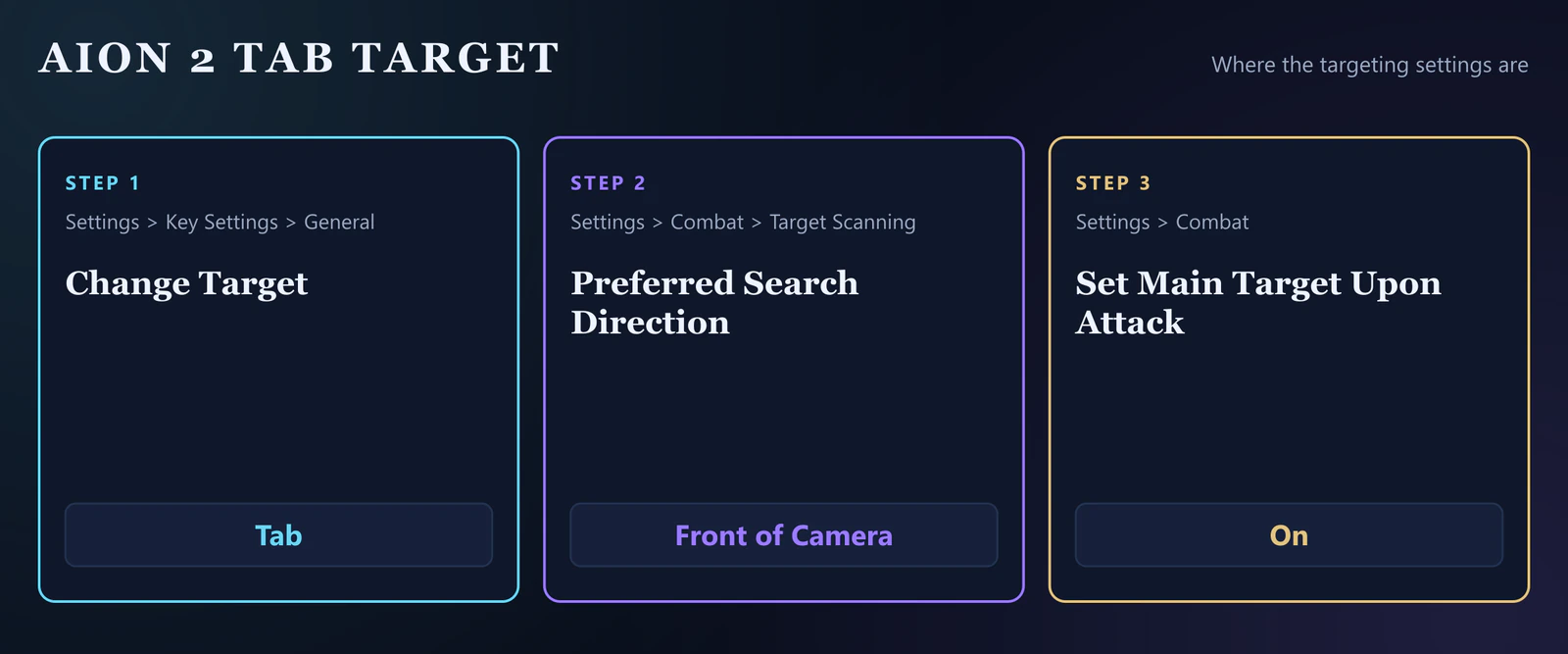
AION 2 targeting settings worth changing
| Setting | Where | Set it to | What it does |
|---|---|---|---|
| Change Target | Settings > Key Settings > General | Tab | Picks the next enemy as your target. |
| Preferred Search Direction | Settings > Combat > Target Scanning | Front of Camera | Tab then picks the enemy you are looking at, not one behind you or off to the side. |
| Tab target priority | Settings > Combat > Target Scanning | Nearest first | Decides what Tab picks first when several enemies are in range. |
| Set Main Target Upon Attack | Settings > Combat | On | Hitting an enemy makes it your main target, so your next skills keep going to it. |
| Pursue Target with Skill Activation | Settings > Combat | On for melee and farming, Off for PvP | With it on, using a skill makes your character chase the target. Leave it on for melee and farming and turn it off for PvP, where chasing can pull you out of position. |
| Skill Queue | Settings > Combat | On | A skill pressed while another one is still going is queued instead of lost, which works well with the in-game macro. |
| Control Mode | Settings > Combat | AION 2 mode | The action mode: the camera turns with the mouse and you aim where you look. AION 1 mode is the older control style from the first game. |
Tab target for melee, ranged and PvP
Melee classes such as the Gladiator and Templar get the most out of Pursue Target with Skill Activation: with it on, a skill used out of reach makes you close in. Ranged classes such as the Ranger and Sorcerer mostly need Preferred Search Direction on Front of Camera, so Tab does not grab a monster behind them. In PvP, turn Pursue Target with Skill Activation off, because chasing a target can pull you out of position.
New to your class? The AION 2 Templar leveling guide and the Chanter leveling guide walk you from level 1 to 45.
How we checked these settings
NC has not published a settings guide for AION 2. Checked on October 20, 2026 against the global version.
Still setting up? Check your PC against NC's AION 2 system requirements, then pick your class in the AION 2 classes overview.
AION 2 tab target FAQ
- How do I enable tab target in AION 2?
- Tab targeting is on by default: Change Target sits on the Tab key (Settings > Key Settings > General). To make Tab pick the enemy you are looking at, set Preferred Search Direction to Front of Camera under Settings > Combat > Target Scanning.
- Why does Tab pick the wrong enemy in AION 2?
- Without a search direction, Tab can pick an enemy beside or behind you. Setting Preferred Search Direction to Front of Camera makes it look where your camera points first.
- How do I keep my target when I attack?
- Turn Set Main Target Upon Attack on (Settings > Combat). Then the enemy you hit becomes your main target and your next skills stay on it.
- Is it tab target or tap target?
- The same thing. The key is Tab, and many players type "tap target" when they search for it.
Sources
Checked against NC's official posts on October 20, 2026. NC has not published a settings guide for AION 2.